3.1 Introduction to Force Sensor
Python – Introduction to Force Sensor
3.1 Introduction to Force Sensor Read More »
Python – Introduction to Force Sensor
3.1 Introduction to Force Sensor Read More »
Python – Configuring Robot Movement
2.1 Configuring Robot Movement Read More »
The flowcharts are simple visual tools that help us understand and represent processes very easily. They use shapes like arrows, rectangles, and diamonds to show steps and decisions clearly. If someone is making a project or explaining a complex task, flowcharts can make complex ideas easier to understand. Table of Content What are Flowcharts? Flowcharts
Flow Charts – Level 2 Read More »
Simple Instructions Step One: Open a terminal window-> command + space -> type terminal -> open terminal Step Two: Check pip is installedtype the following into the terminal window-> pip3 list Step Three: Install pygametype the following into the terminal window-> pip3 install pygame ERROR: If you get a error try -> pip3 install pygame-ce Step Four: Check pygame is installed type
Games Programming in Scratch from PG Online Contents: Each of the lessons contain slides from a PowerPoint for the topic and include links to the tutorial files.
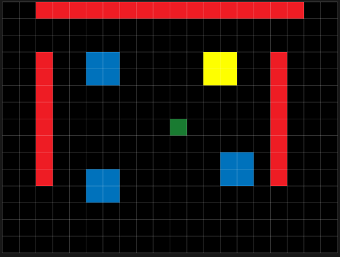
Basic Skills 2 Interactions You have created the basic structure of a game. Now to create interactions Events and Actions. // CREATE CODE//—–set player speed n_spd = 2; //—–normal speedr_spd = 3; //—–run speedspd = n_spd; //—–set start speed hspd = 0;vspd = 0;runspd = 0; // COLLISION WITH OBJ_PLAYER CODEgame_restart(); //COLLISION WITH OBJ_PLAYER CODEscore +=
L1 GM2 Basic Skills 2 Read More »