
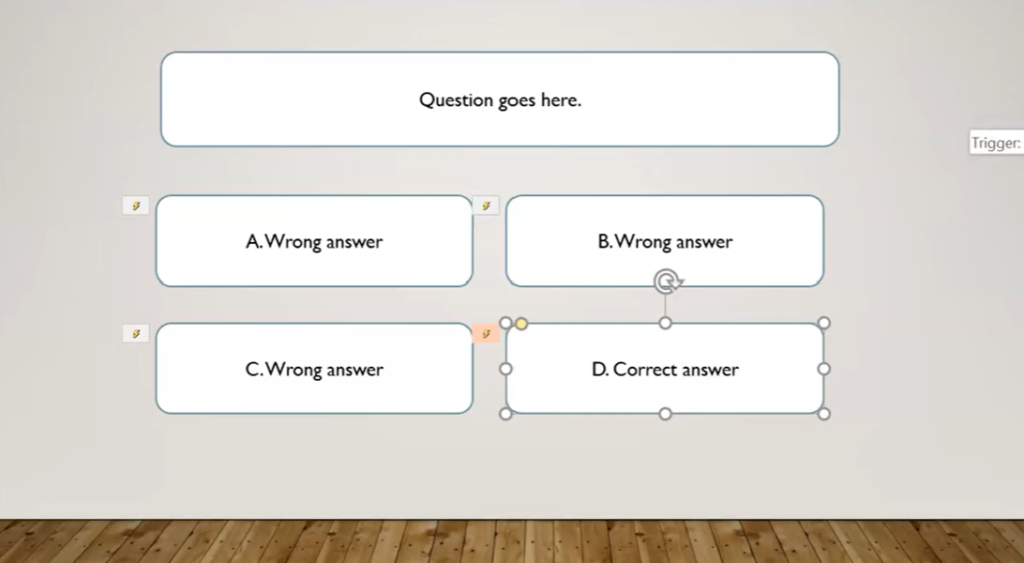
Animation Triggers
A Kiosk App means that the designer controls the flow of the PowerPoint from one slide to another, rather than it just moving from slide 1 to slide 2 to slide 3 and so on. In order to control the flow a design must
Animation Triggers Read More »
Kiosk App
A Kiosk App means that the designer controls the flow of the PowerPoint from one slide to another, rather than it just moving from slide 1 to slide 2 to slide 3 and so on. In order to control the flow a design must Disable the Advance Slide functionality in PowerPoint
Interactive Design Skills – Level 1
Design Planning In your journal write out a description and an example of the following: 1. Product Purpose2. Audience Characteristics3. Design Criteria Your examples could be for a advertisement for a product your like. Graphics Skills Create a Word document and include the following: 1. Image & Textbox2. Word Art3. Images in shapes and text
Interactive Design Skills – Level 1 Read More »
Custom Game
Build a game or your choice. Use the skills you have learned in this topic and completing the challenges Your game can take any form you like (any for that is suitable in a school classroom) Your game should have at least THREE backdrops.A start screen with the instructions on it. (How to play the
Catching Game
Build a Catching game where the main player moves left and right and catches objects falling from the sky. Use the keyboard interaction skills to move your player Use the collision with sprite to records each time the player catches an object Use a variable to keep score and add one the score for every
Maze Game
Build a Maze game where the main player must move through a maze without touching the walls. Use the keyboard interaction skills to move your player Use the collision with colour skills to stop the player moving through the walls Add a sprite at the end the finishes the game when the player gets there